
This isn’t what I usually write about. It’s my personal experience, but it’ll be helpful to others too. Earlier this month, one of my TikTok accounts was hacked.
Actually, it was stolen by someone who had access to my email. I was unable to log in since he changed my linked email account to his own. Unfortunately, I didn’t have a phone number connected to that account.
And the best way to secure your TikTok or any other social account is to link a phone number. Keep your passwords up to date and enable two-factor authentication in Settings and Privacy on your profile page.
So, how do you identify an account that has been hacked?
- The username has changed.
- The password or phone number has been changed.
- Someone deleted or posted videos without permission.
- In the worst-case scenario, you will not be able to access your account.
Although I had no experience recovering hacked or stolen TikTok accounts, I gave it a try using the TikTok Hacked Account Form. Happy to say it was a success.
Based on my experience, I can guide you through the safe, legal steps to recover a hacked or stolen TikTok account.
First, this method will not work if the hacked account username has been changed. If the username has not been changed, follow these steps. You can usually find your TikTok username in the URL after @ - https://www.tiktok.com/@example…
To verify accessibility, search for the username in the login section (on PC or mobile). If the account is still active, tap the help, which appears as a question mark.
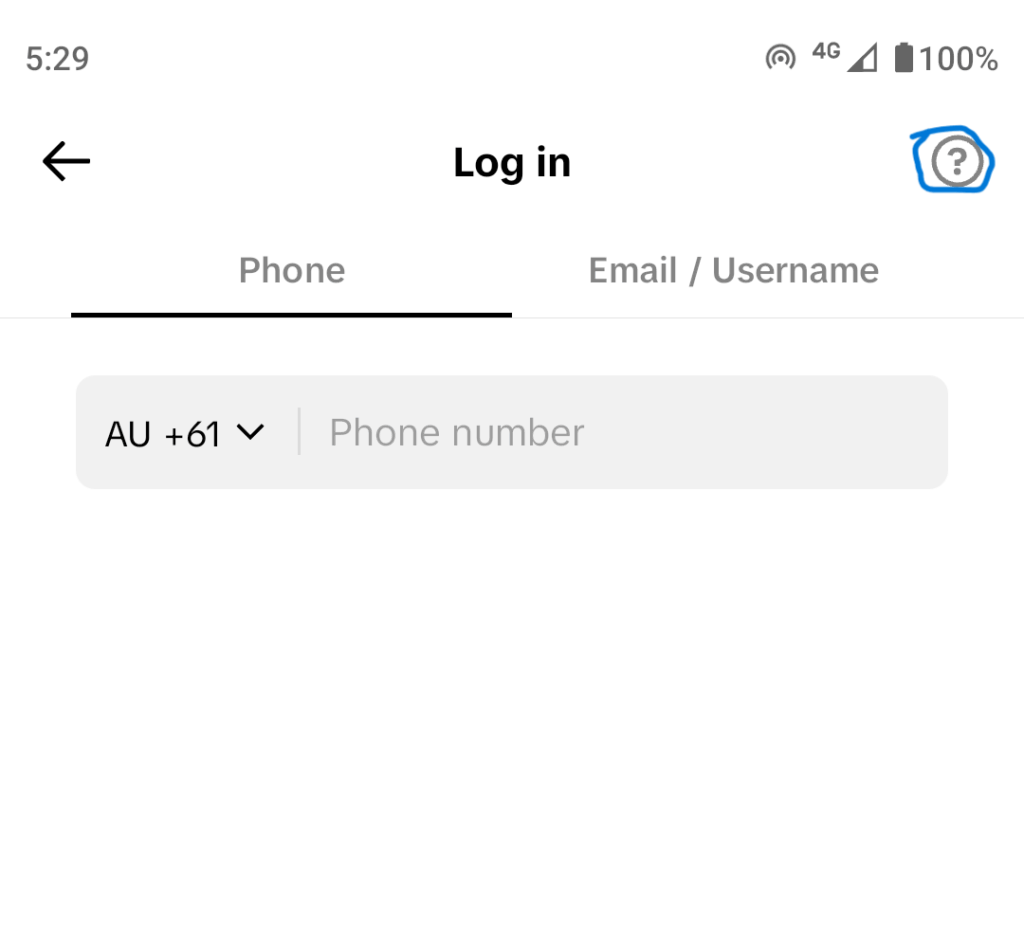
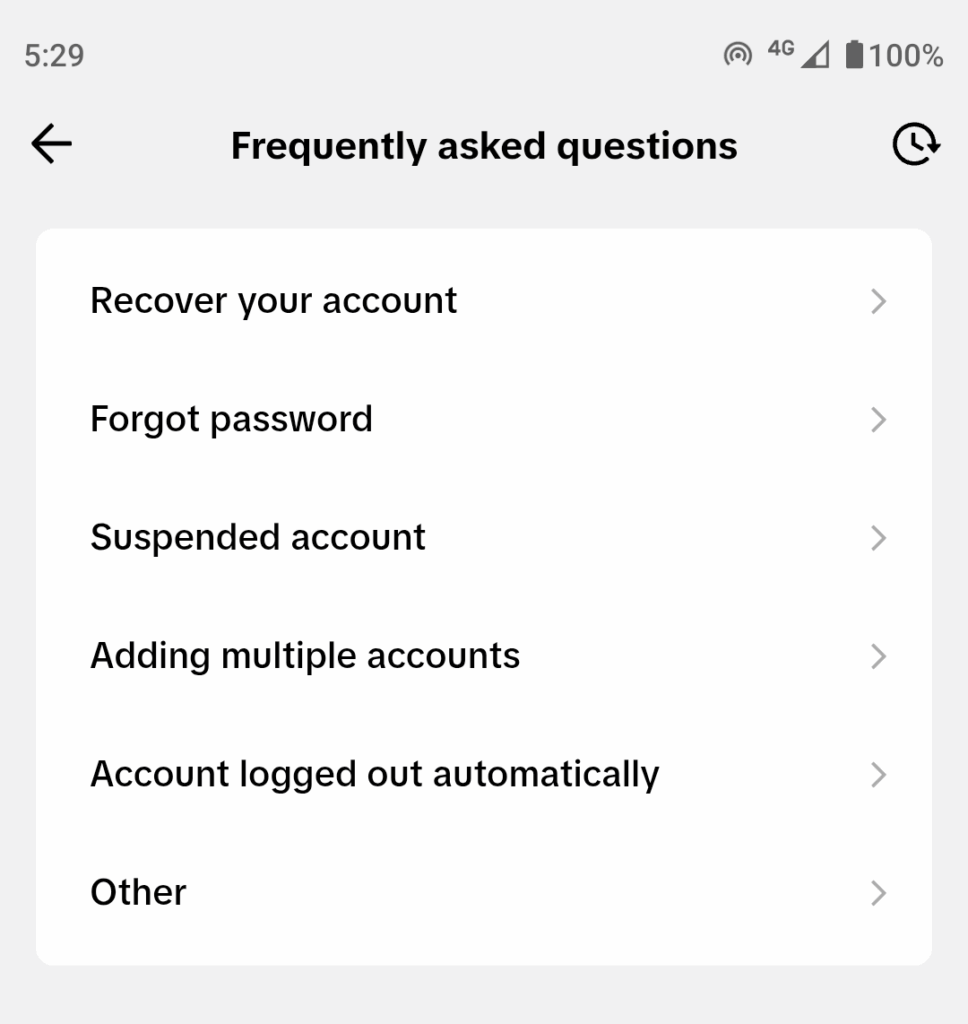
Here’s the FAQ section; click ‘Recover Account’ to proceed.
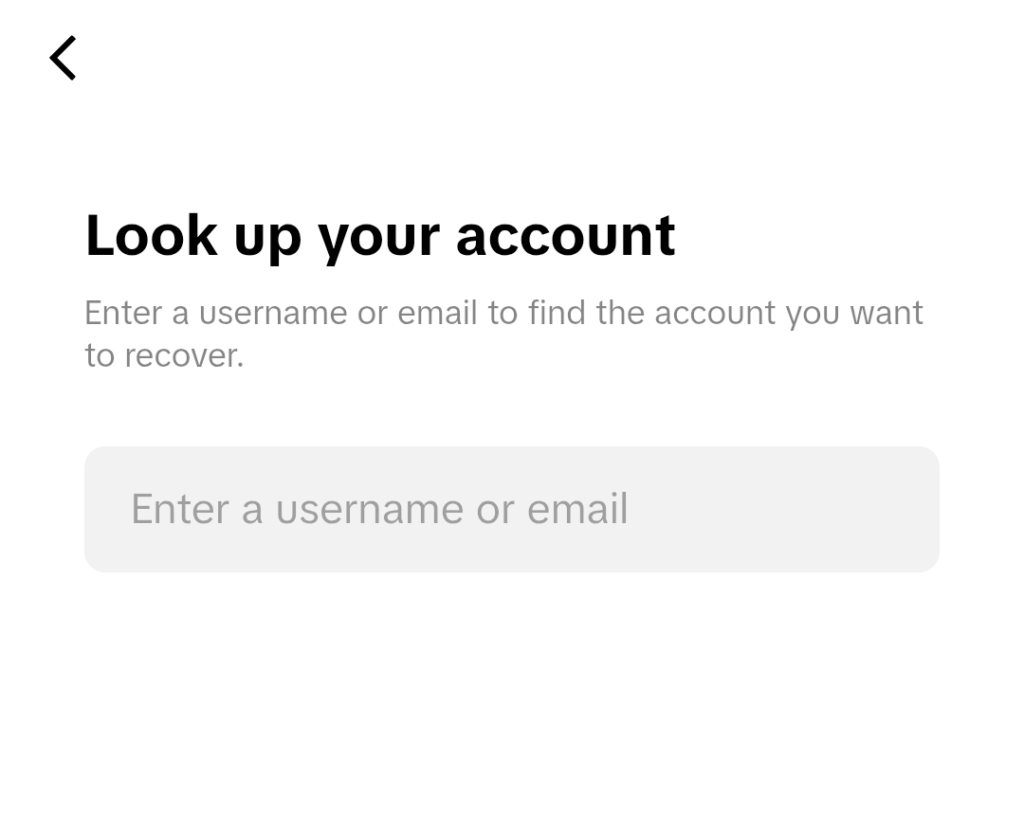
Enter your hacked account’s username or e-mail address here…
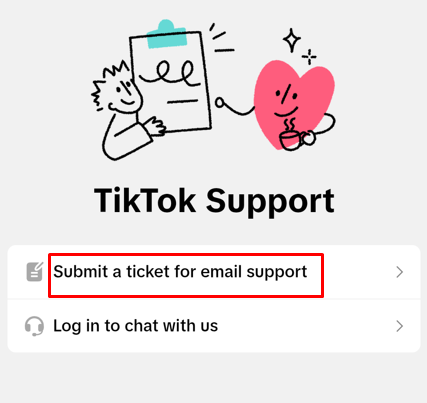
Once there, tap TikTok Support if you can’t access your account, then submit a ticket for email support.
Next, you’ll see a form to complete regarding your account. And here’s a screenshot…
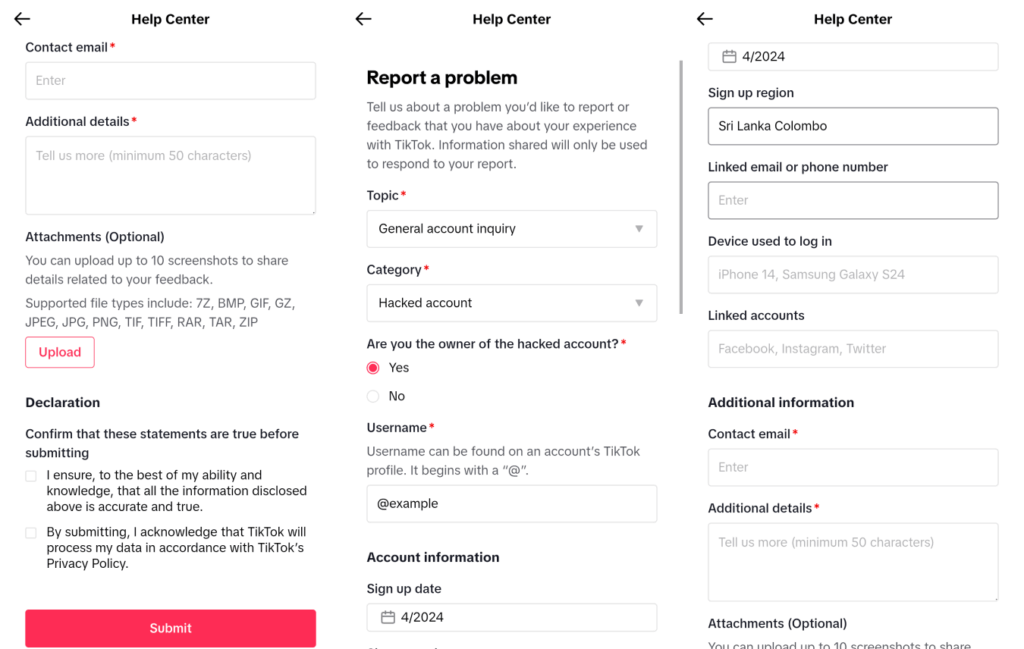
So with that in mind, here are the questions and explanations you’ll need to fill out TikTok’s email support form:
- Topic: General inquiry
- Category: Hacked account
- Username: @example
- Sign-up date: Year and month
- Sign-Up Region: City and country
- Linked email or phone: Account registration email or phone number.
- Device used to log in: registration device or device most often used.
- Linked accounts: Social media accounts linked to the hacked account (no need to fill out if you didn’t use any).
- Contact Email: The email you’re currently using.
- Additional details: Any other information related to the stolen account.
- Attachments: You can upload up to 10 images, including screenshots or any related materials from the hacked account.
They’ll respond to your contact email address within 1-2 days after you submit. So, it’ll come from SafetySupport ([email protected]).
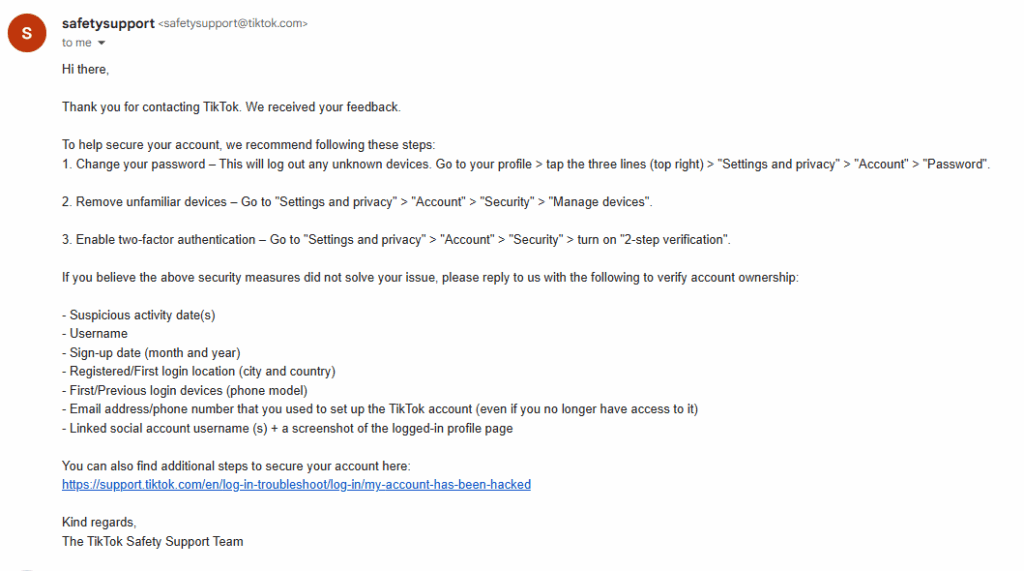
If you still have access to your account, the email advises you to take steps to secure it. But there is a problem: it has been stolen or hacked. In that scenario, reply with the mentioned details to verify account ownership:
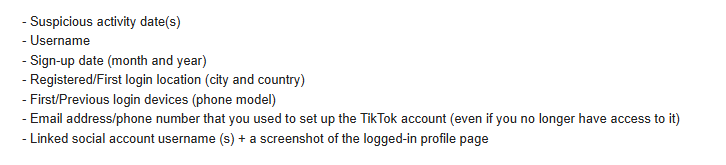
- Suspicious activity date
- Username
- Sign-up date: month and year
- Registered/first login location: city and country
- First/previous login devices, such as phone or PC models (e.g., the Pixel 9 Pro).
- Email or phone number you used to set up (even if you no longer have access).
- Linked social account usernames and a screenshot of the logged profile page. No need if you didn’t use any.
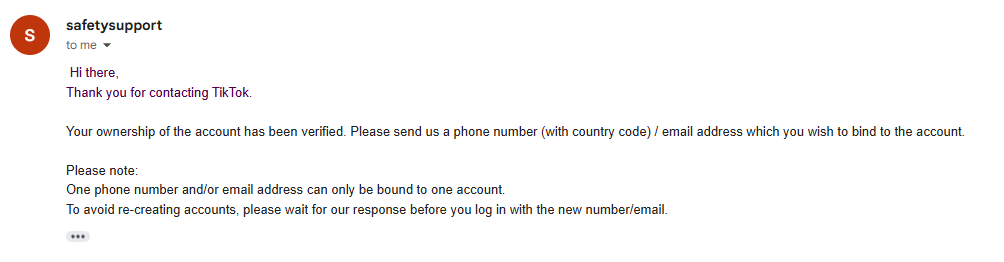
I included additional details, including the browsers. Within a couple of hours, I received an email stating that my ownership of the account had been verified. Again, they requested a phone number or email address to link the account.
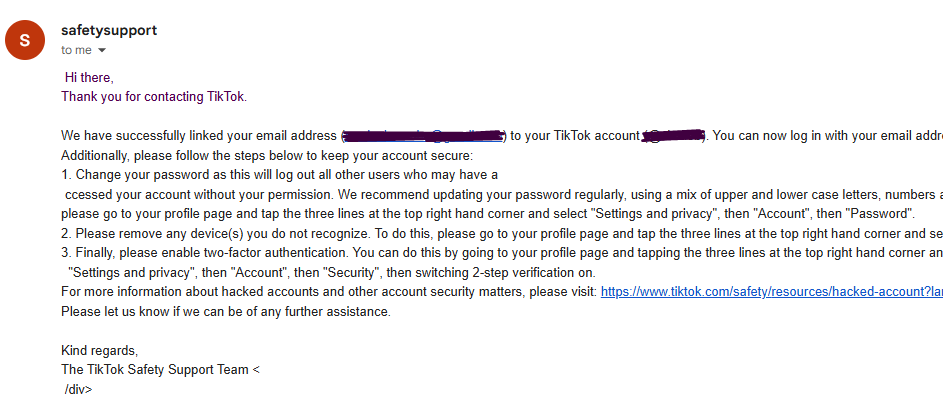
I sent my current email. Then, after a couple of hours, my account was restored, and they emailed me stating, “We have successfully linked your email address to your TikTok account. You can now log in with your email address. Keep your account secure by following the steps.”
It explains security measures to protect an account.
That is how I regained access to my TikTok account after it was hacked. Note that this approach may not be practical for all hacking scenarios.
I hope this article helps if your account was hacked or you cannot access your linked email or phone. I was lucky; the person who hacked my account didn’t change the username. In fact, the outcome would have been different if he had changed the UN.
This is because it’s difficult to recover a hacked account without verification. Keep the username, attached email, and phone number to yourself. You should keep your TikTok account secure to prevent a hack. For instance, scammers may ask for your information to ‘check’ something, but they often use it to access your account or share it with others.
Not only that, keep your personal info private. Never share your login QR code with anyone, as doing so can expose your credentials. And log out of all devices at least once a week. I think this guidance applies to all social platforms, not only TikTok.
Read More: Copy Text From Protected Website | TTFB Measurement Tools