WordPress demo content is the easiest way to launch attractive websites quickly and hassle-free. It allows to tweak the design without changing the structure.
But ensure that you replace the content with elements that align with the site’s design. Using WordPress.org themes is a wise choice because they adhere to clean coding standards and best practices. Because using third-party themes puts you at risk of vulnerabilities, you don’t know what’s inside.
It is better to choose a customizable theme that works well with caching plugins and supports future updates.
You don’t have to stick with a single theme, as themes tend to evolve and change. However, some themes and page builders are harder to update than others. When adding demo content, import pre-designed elements or single pages to avoid disrupting existing content.
I think adding patterns or blocks will not change what you already have. But bringing in the entire demo template will make significant changes, since it includes everything. There is often a risk that newly added content may overlap with existing content.
Blocksy
Blocksy is one of my favorite themes; even the free version has plenty of features. Unlike others, Blocksy is bloat-free and meets high standards. Most free WP themes with demo content are too formal, so your site follows the theme’s default layout.
Blocksy lets you create web pages and posts that look stylish, neat, and organized without limiting content to fit the default template. It lists all content and layout sections in the WordPress customizer. Separating the features makes them less overwhelming and helps you understand what’s happening. (Despite its features)
Have trouble setting up a custom menu in the website header?
Blocksy will solve your problems; it features a powerful header and menu builder. The most impressive header builder I have seen in a theme.
As a blogger, I prefer themes that don’t overlap with templates. Blocksy’s starter sites are flexible enough that users can adjust without a mess. You can choose from more than 40 starter websites, and most of them are free. And every WP demo site uses the Gutenberg editor, and there are also several e-commerce templates to pick from.
- Smile Dent: A dental business demo template.
- App: Dark and white mixed mobile app demo website.
- Persona: Here’s a site kit you’ll love if you’re a freelancer.
- Floreo: An online greenery decor store with a homey touch.
- Barber Shop: You won’t find many barber shop demo sites around; the layout is ideal for offering barbering services and hair care products.
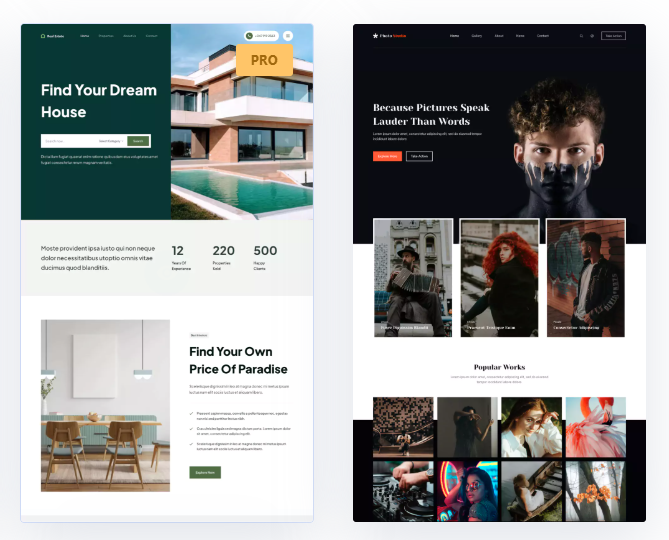
You don’t have to be a geek to use Blocksy’s features; you can easily customize the header and footer, and other elements. It works seamlessly with WooCommerce, giving you more ways to personalize your site.
You can use content blocks to build your own DIY sites. Create a block and place it where you want, but it is only available in the Premium. So, I have a lot to say about Blocksy, but I don’t want this to be long.
Kadence
Kadence isn’t my favorite theme, but I give it the second spot because its library includes over 100 WordPress demo sites that you can customize to your taste.
Unlike dull designs, Kadence offers clean designs with numerous features, and many of these are unlocked in the PRO version. This is why it’s so popular. I’m not a big fan of Kadence, but here are some reasons to consider this theme…
- A robust free version (with few limitations)
- One of its best features is the drag-and-drop header and footer builder.
- You can customize Kadence directly in the WordPress Customizer, where all theme options are clearly organized.
- It features advanced options, including localized fonts, sticky headers, auto-adaptation, custom layouts, an advanced header and footer, and more.
- Kadence is really smooth and easy to use. It was easy for me to make adjustments and changes that got me exactly what I wanted.
It allows users to select multiple customizations. The free and pro versions offer all key features and the most attractive designs. I like their Gutenberg plugin (Kadence Blocks), which is functional and compatible with all plugins. You can enhance the theme and block builder features with the PRO version. It has the most attractive demo templates of any theme I have used. The professional designs offer a balanced set of features, including both standard free starter sites and several unique options.
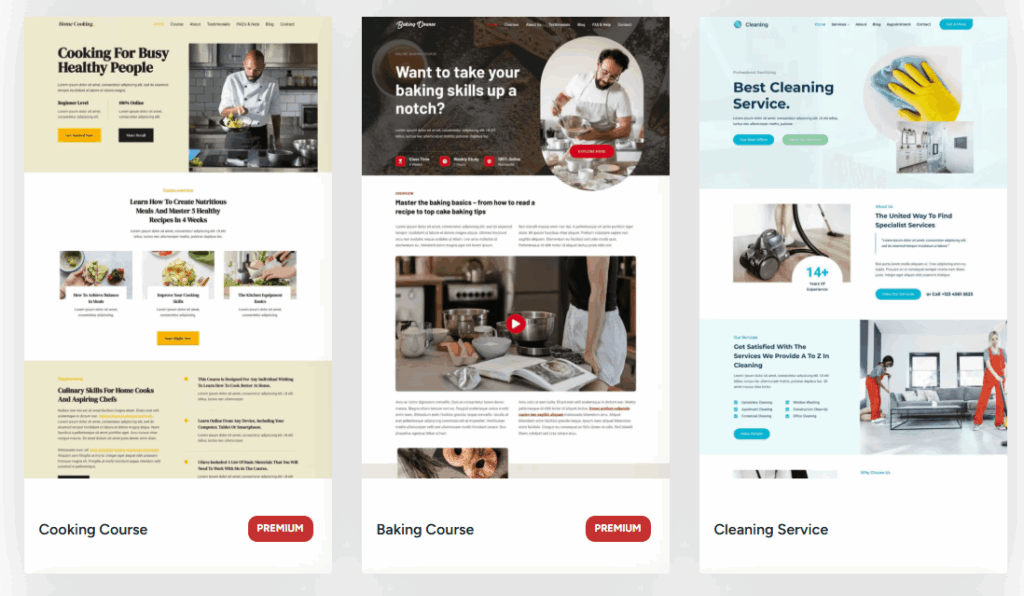
In Kadence’s library, you can download demo templates. By default, most starter demos are built with KadenceBlocks, but you can use Elementor. A page builder can be slow for several reasons. There are better options than Elementor for page design because it includes too many unnecessary features and is difficult to optimize. So, using Elementor, choose a reliable LiteSpeed Host or cloud provider, such as Vultr.
OceanWP

OceanWP is one of the most popular free, responsive WordPress themes with demo content. A feature-rich theme after Blocksy and Kadence with multiple upsides, but you can’t build the header or footer like them.
But it offers other header options, including a transparent header, and allows you to customize each page’s header.
OceanWP lets you disable features and settings to prevent your site from becoming cluttered. By default, OceanWP’s free version has many features, including fonts, templates, and pages.
There are hundreds of full OceanWP demo websites for Elementor and Gutenberg, many of which are exclusive to the Pro version. You can still access more than 50 free templates, but the premium plan offers WooCommerce starter sites.
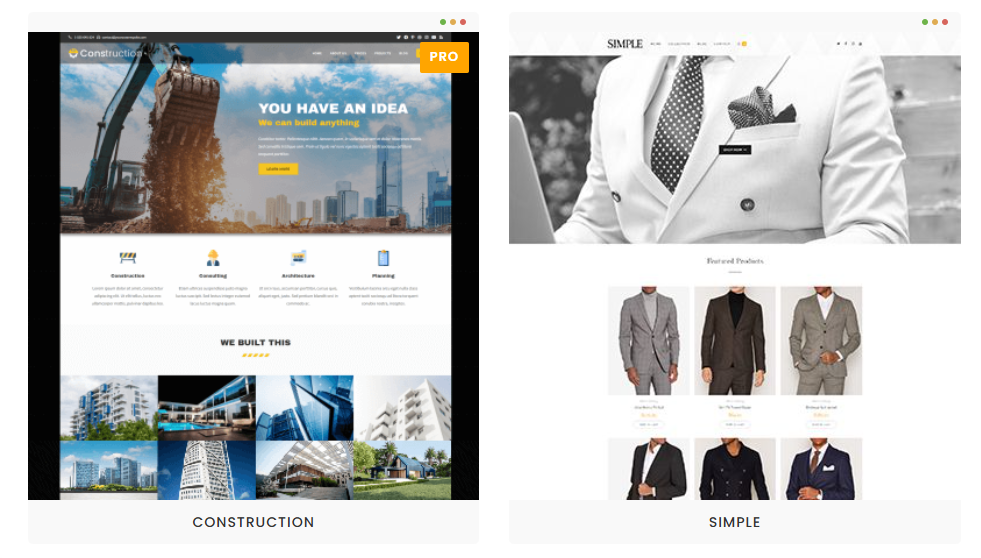
Although I’m not a fan of this theme, OceanWP’s free version offers more features than some of its competitors. No doubt, it can’t surpass Blocksy and Kadence.
But it has plenty of demo content, both free and paid. It is also OK; the paid version offers additional features and is easier for beginners to customize.
GeneratePress
GeneratePress has been around for a long time and has grown a lot. It is a well-known premium WordPress theme with demo content.
Tom Usborne is the founder of GeneratePress. It is popular among developers for its developer-friendly features and customization options.
Many users appreciate GP’s features, guides, and community. It’s easy to use, but you need some coding skills to get the most out of it.
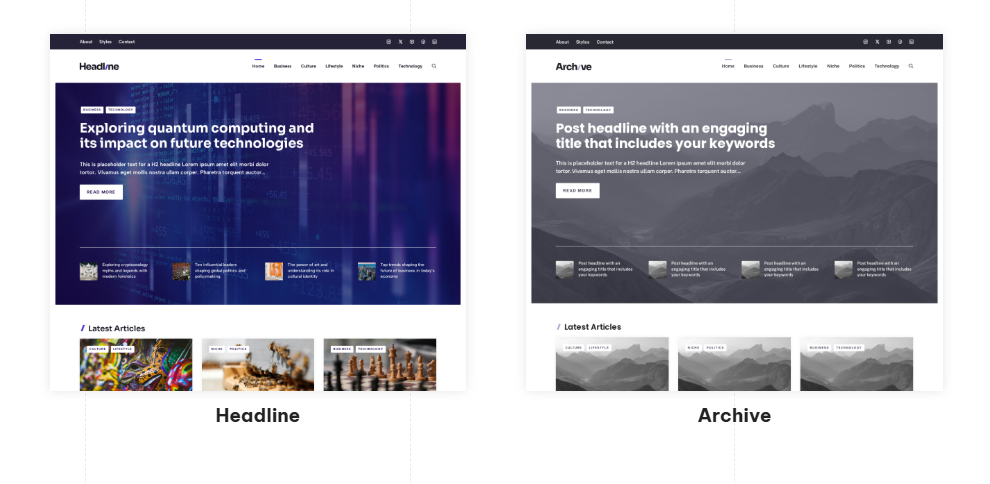
I’m not giving it the #1 because GP doesn’t offer free WordPress demo content. But the premium plan includes more than 80 prebuilt websites. It features over 200 patterns.
They’re mostly built with Gutenberg, making it easy for developers. You can view some older ones created with Beaver Builder and Elementor in the GP site library.
- Avery: A female-style demo blog
- Driver: A demo website for driving schools.
- Movement: Website for groups and organizations.
- Stream: Great for growing your podcast and catching new listeners.
GeneratePress isn’t suitable for those who prefer drag-and-drop options. Anyone can use the free version of GP, but it offers limited customization options.
Simple themes are always good for server or cache plugins. Themes like Kadence and Blocksy are suitable if you’re looking for something straightforward. However, the GP premium is correct; you’ll receive a clean version to customize.
It offers a variety of starter sites, but I miss the most a header and footer builder. That feature is in almost every theme. I hope GeneratePress will add it. 😊
Astra

Astra is a very popular WordPress theme with demo content from Brainstorm Force. It’s popular (probably the most popular). Theme’s best feature is the drag-and-drop header and footer builder, which lets you easily customize every element.
Not sure why people like it, but it works well with the Spectra blocks. It’s not fast; fewer lines of code make Astra lightweight. You might have fewer features, which means you’ll need to add more plugins, removing the lightweight tag.
I’m not a fan of Astra’s starter sites. Although they offer extensive free demo content, the designs are not distinctive and tend to follow trends rather than stand out.
You’ll find dozens of demos that look decent in previews. You won’t pick one because of quality. Whenever I browse the starter sites, I find their layouts messy.
You need to install the WordPress “Starter Templates” plugin to access the Astra demo content (200+ starter sites). You can choose Gutenberg or Elementor.
- Elderly Home: An elderly services demo content piece, and you don’t often find this kind of topic—nothing special, but it’s free.
- Injury and Accident Lawyer: You can find many templates for lawyers, but not for subcategories such as injury and accident lawyers.
- Limousine Rental Agency: I’ve seen numerous templates for car rentals, but what about limousine rentals?
- Calligraphy Artist: Fine template set for handwriting; this type of demo isn’t too familiar with most WP themes.
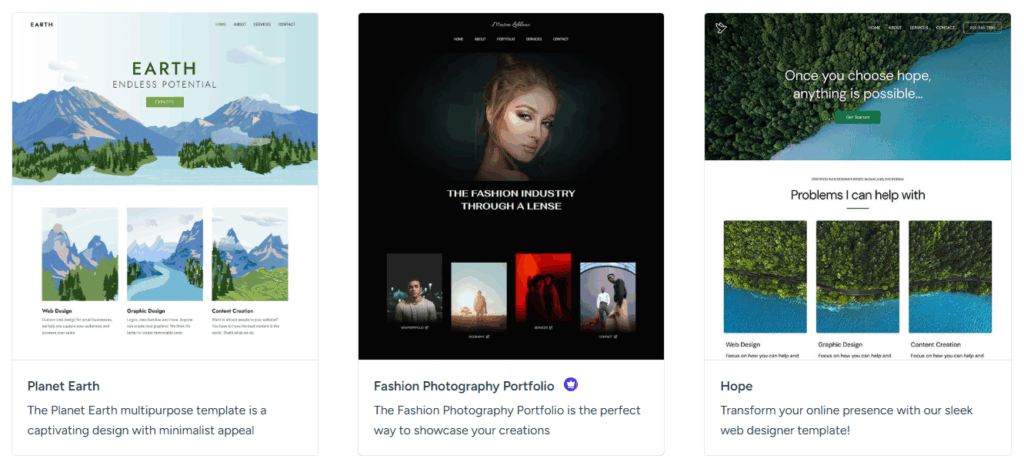
The only thing I like about Brainstorm Force is Spectra, previously known as Ultimate Addons for Gutenberg. Astra is an acceptable WordPress and WooCommerce theme with demo content. I don’t have any issues with it, but I don’t like it.
Neve
Neve is one of ThemeIsle’s most popular themes. There aren’t many features in Neve’s free version that you’d find in the Kadence theme. But the Neve theme is compatible with Gutenberg and all page builders (Elementor, Divi, etc.). Standard features include built-in patterns, sections, custom fonts, and demo templates.
While I do not personally prefer Themeisle or this theme, they demonstrate strong professionalism and respond to all support requests, regardless of the user.
Neve’s demo content collection is hosted on a cloud server, and users can download it in a few clicks. Another thing: it has over 40 starter sites, 17 of which are free. However, I was impressed by only a few. Examples of Neve’s unique starter sites:
- Museum: There aren’t many WordPress starter sites for museums.
- Audio Books: Handy if you’re planning to make an audiobook website.
- Vacation Rental: A free template that works with Gutenberg and Elementor. Suitable for vacation rentals or clients, but it looks outdated.
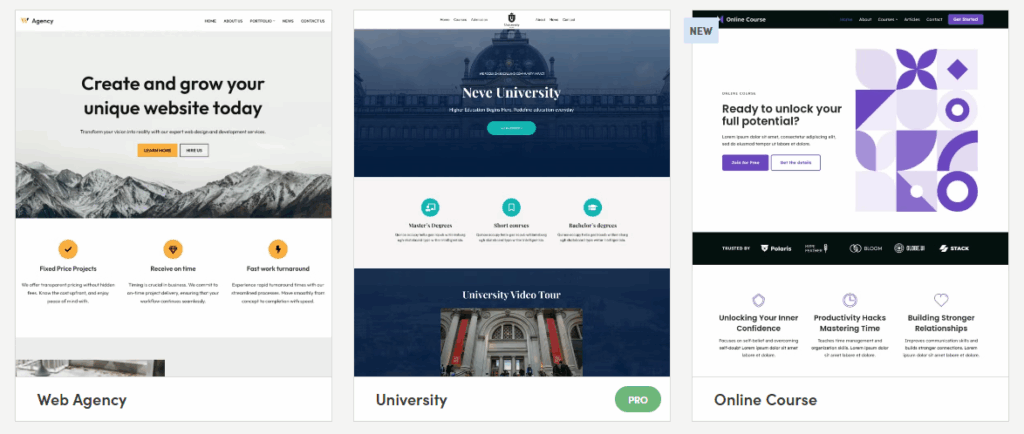
You can use the Neve for WordPress documentation. It offers a cloud-based templates that lets you store starter sites in your account and integrate them with other websites. It is an acceptable theme with settings in the Customizer.
The free version isn’t imposing (it’s only suitable for simple websites). Secondly, you’ll need to upgrade to the premium plan to access advanced features.
Zakra

Zakra is a ThemeGrill theme, available for free download with demo content from the WordPress theme directory. However, this version lacks many useful features and offers only a few templates for online stores.
It is a multipurpose theme, but I noticed that many demos focus on the PRO version. It hasn’t been modernized in recent years, which gives it a bland impression.
It lacks features such as a header builder, a dropdown menu, page settings, and more, which are available in free themes like Blocksy.
The template library has 88 pre-built sites that can be downloaded with just a few clicks. You can choose from 60 sites for businesses, 12 for stores, and 6 blogs.
Here are some Zakra starter sites:
- Freelancer: You can find a lot of demo content for freelancing.
- Antique store: An antique store template typically doesn’t originate from other themes; it’s a paid template designed specifically for Gutenberg.
- Job Portal: It’s free and built with Elementor. Therefore, you should use a reliable cloud host control panel with a reputable provider.
- Organic Farm: Templates kit for organic farm services, including design, planting, and growing fruits and vegetables.
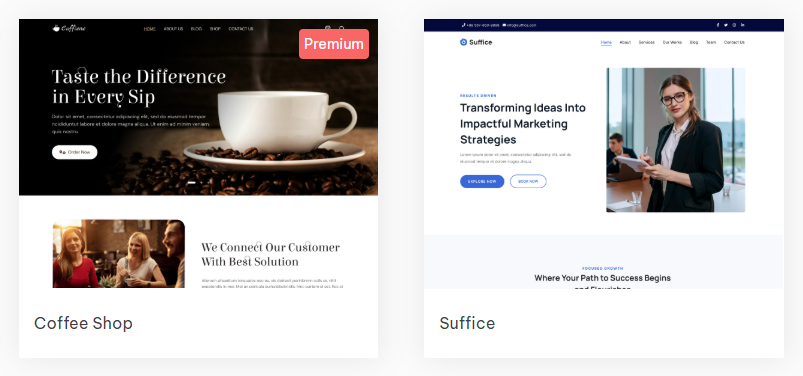
So, depending on your choices, Zakra is a well-designed WordPress theme. The free version is decent for simple sites. The pro version doesn’t seem like a good deal for the price. The point is that there are many good themes, even for free.
Royal Elementor Kit

Page builders aren’t my cup of tea. I don’t like them. If you’re a fan of Elementor, the Royal Elementor Kit offers over 100 demo content. The theme is part of the Royal Elementor Addons, so you’ll need to purchase the premium version to get a fully featured website. It features over 100 modules.
It also includes the sticky header, animated effects, and background images. The theme pack is ideal for Elementor fans, as it features both free and paid demo sites, making it suitable for testing environments.
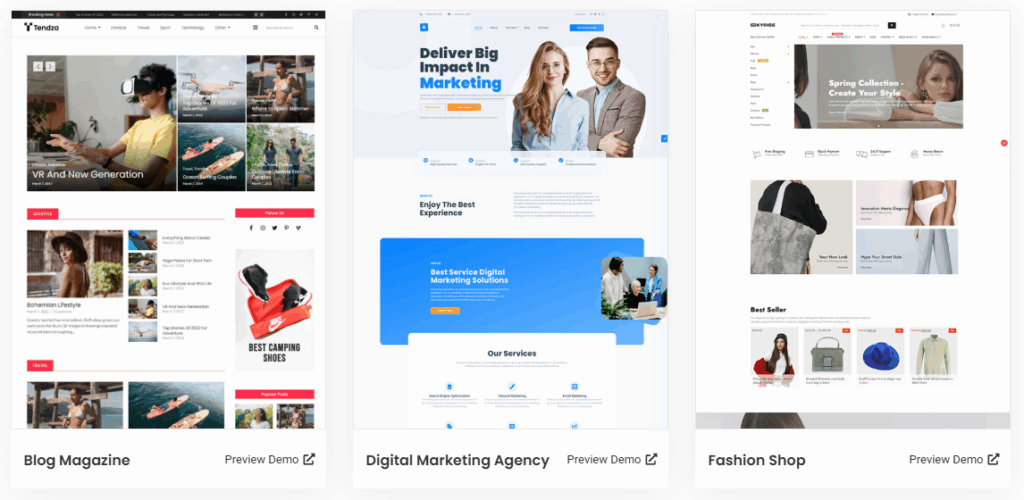
All templates are built with Elementor and Royal Elementor add-ons. It features a range of unique demos, including cybersecurity, food delivery, and more.
This process isn’t recommended for professional websites, as it can negatively affect performance. Heavy page builders slow down websites, especially TTFB.
Never host your Elementor website on a cheap web host. You cannot change anything. Instead, use a speedy host like Rocket.net with Elementor.
PopularFX

PopularFX is not my preferred theme, and I do not recommend it. However, I have included it on this list because it offers over 500 starter sites and sections.
It includes a drag-and-drop page builder (PageLayer) with visual effects. You’ll need the paid version to access certain features. But it isn’t worth it. There are many useful themes, with free and paid demos, that are both robust and affordable. It’s suitable for beginners and for those who appreciate luxury but aren’t concerned about UX.
To start the PopularFX free premium WordPress demo content, you’ll need to do a few things. After installing the theme, you need to install a plugin to use the templates. Every template is built with the Page Layer Builder.
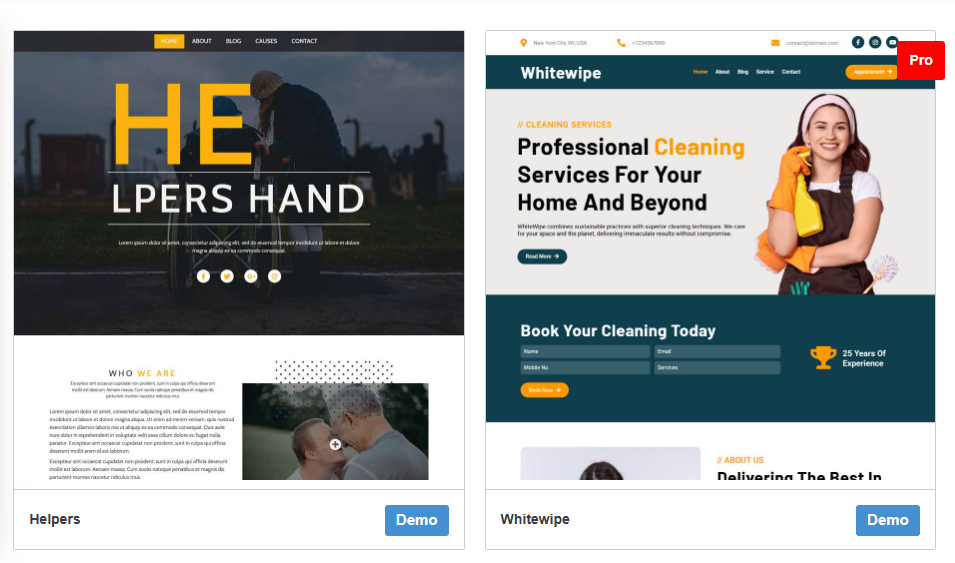
They offer a wide range of free starter sites. I didn’t count how many there are, but I guess there are at least 100. The truth is, most are locked into the PRO.
I don’t like the PopularFX theme, the drag-and-drop functionality, or the bloated page builders. You can at least try it, but when using page builders and heavy themes, use an optimization plugin like FlyingPress.
It has many demo templates, and the PRO version has many sections. Or, review the docs before using PopularFX, as setup requires installing several plugins.
Storefront

Storefront is a WooCommerce theme developed by the WordPress core team. It is minimal, but you’re limited in what you can create. Consider this theme if you’re looking for a free WooCommerce theme with demo content.
But if you’re a coder, you can start your work with Storefront, a minimalistic and customizable framework that lets you add features using the child theme.
And Storefront has only one demo website to download:

The theme provides various layouts, color options, widget slots, and mobile-friendly designs. While it has a learning curve, this is common with most themes.
When you’re new to WooCommerce, pick a more customizable theme. Premium themes like Astra and GoTrek can help you enhance your online store’s design.
Free themes are well-suited for casual bloggers or those with simple design needs. Premium themes, on the other hand, offer more features for professional websites.
You’ll have more options. I think it depends on your needs. For serious WordPress websites, use a reliable CDN, such as FlyingCDN.
How about paid website demo content places like ThemeForest?
Don’t waste your time on them.
The built-in theme customizer gives these themes many visual options. I prefer not to use third-party themes, as the WP theme library has quality selections. Your website needs to be yours. You should be able to use it however you like.
I recommend sticking to official themes. Most are well-coded, and you’re less likely to find security holes. Plus, use reliable WP CDNs for any theme.
Final Recommendation
Almost all WordPress themes include demo content. When I choose a theme, I only pick from the official WordPress theme library. They’re easy to customize, and you don’t need coding skills.
I found fewer than 10 good options, since there aren’t many quality choices. Here are my top-recommended WordPress themes with demos; they’ll still be great in 2026.
- Blocksy: Simple to use and comes with many free demo templates.
- Kadence: Similar to Blocksy, it offers more than 50 free demos.
- GeneratePress: Great for developers and even average users. It doesn’t offer free demo content, but it does have 100+ premium starter sites.
- OceanWP: A theme with a large user base, offering numerous features in its free version. It includes a variety of free and premium demo content.
- Astra: A popular theme offering various pre-built sections and starter sites.
Pick a maintainable theme that you like. It will give you the most flexibility, as you can tweak it without changing code. There is no significant difference; if a theme introduces a new feature, you’ll likely receive it sooner. But it is up to you. 😀
Read More: Webdock Cloud Review | Copy Text From Protected Websites